
Camera Filters
Camera Filters is a native iOS photo-editing app with real-time filter previews and built-in editing tools for faster creative workflows.
Categories:
Mobile AppAndroidiOS AppAndroid AppDesign
Camera Filters proves we can build media-focused mobile apps where responsiveness and editing UX matter as much as the feature list. The same experience applies to photo editors, creator tools, camera utilities, and consumer apps that depend on polished real-time interactions.
Executive Summary
- Product: Camera Filters
- Sector: Consumer photo editing, creative tools, mobile media apps
- Engagement: Native iOS app delivery and image-editing UX implementation
- Core stack: Native iOS development, real-time filter previews, editing controls for photos
- Outcome snapshot: A mobile photo-editing app that gives users instant filter feedback plus core adjustment tools in one streamlined interface
The Problem
Photo-editing apps only feel useful when experimentation is fast. If a user has to apply a filter, wait, undo it, and repeat, the experience becomes frustrating instead of creative.
The goal for Camera Filters was to give users a simple app where they could:
- browse and test multiple filter styles quickly
- preview the effect before committing to it
- make common photo adjustments without switching apps
- keep the overall experience intuitive for casual users
Why It Was Difficult
Real-time media features raise the quality bar quickly.
The app had to handle visual previews smoothly enough to feel immediate while still offering editing controls such as brightness, contrast, cropping, and rotation. That combination sounds straightforward in marketing copy, but it creates a real product challenge: image processing must feel responsive, and the interface must stay simple while users move between creative options.
Our Solution
We built Camera Filters as a native iOS application centered on immediate visual feedback.
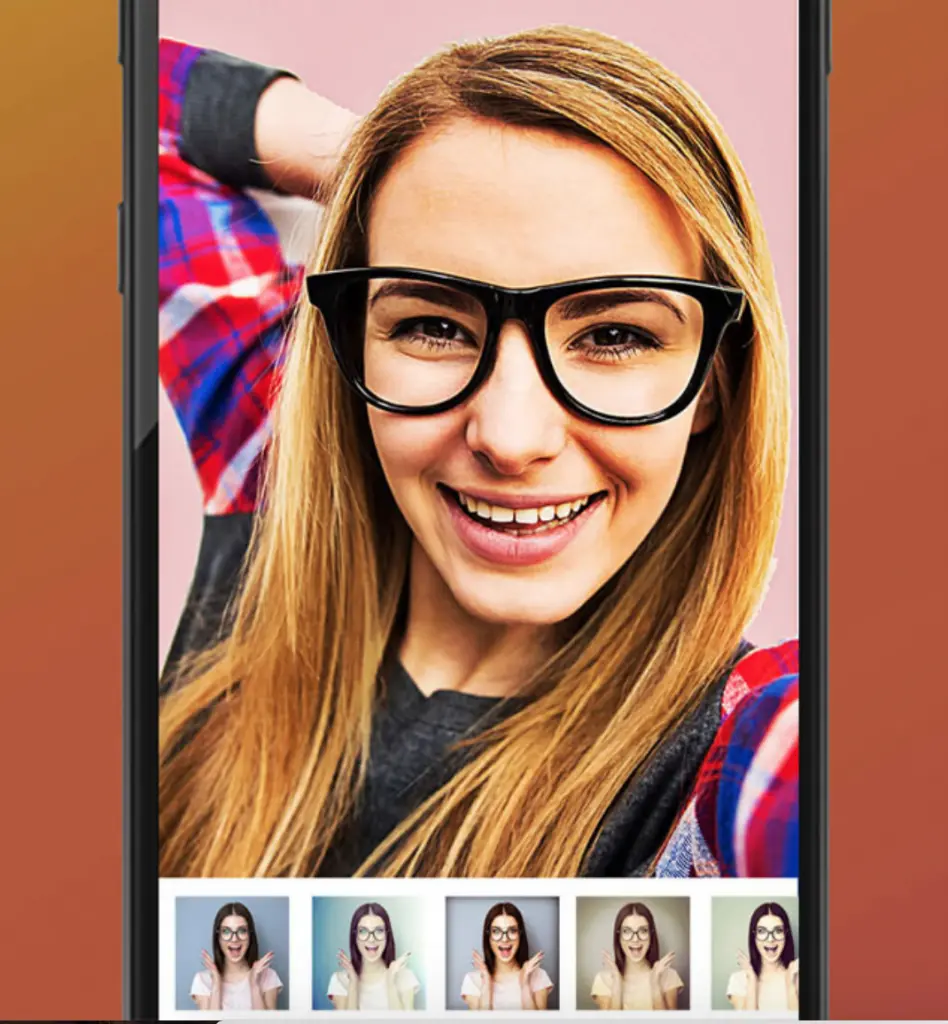
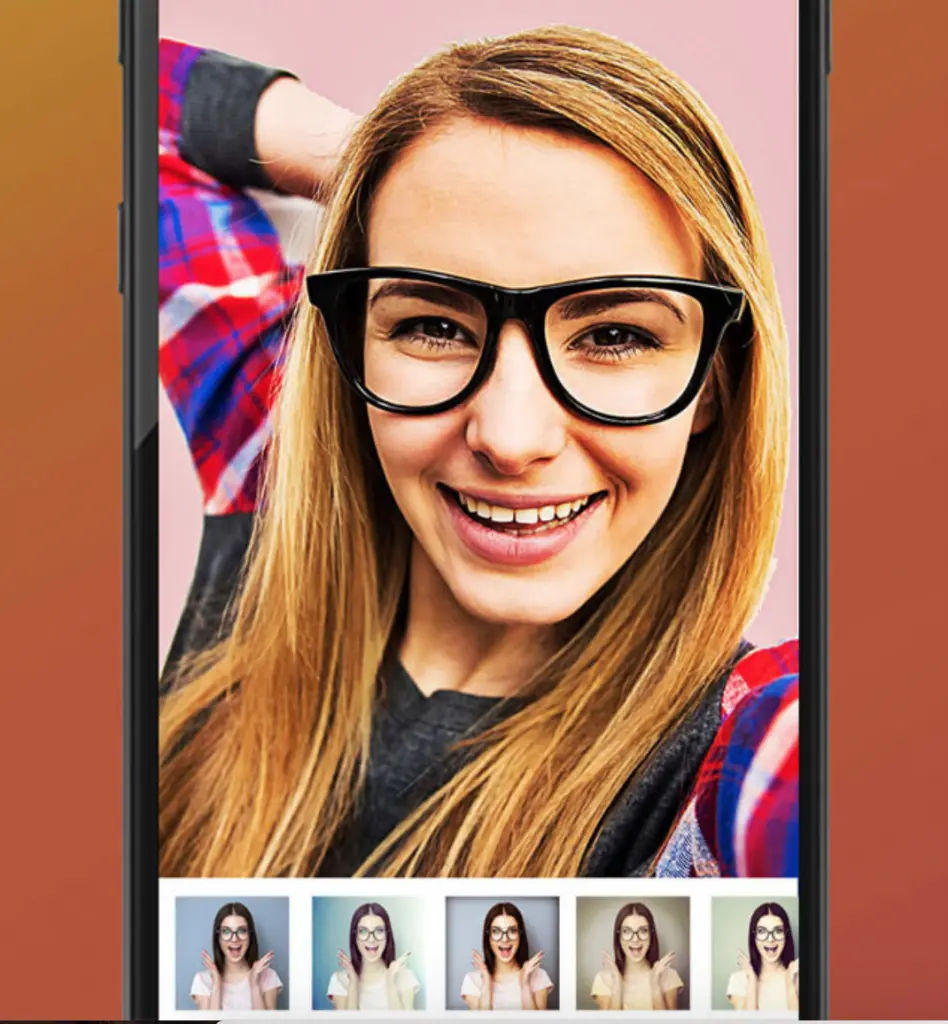
Users can try multiple looks, including vintage, black-and-white, sepia, and other filter styles, while previewing the effect in real time before applying it. The app also includes practical editing controls so the product works as more than a novelty filter demo.
That produced a better utility: one app for trying a look, refining the image, and finishing the edit without unnecessary friction.
What We Delivered
- A native iOS photo-editing application
- Real-time preview for multiple filter styles
- Built-in adjustment tools for brightness and contrast
- Crop and rotation controls for basic composition edits
- An interface designed for quick experimentation rather than complicated workflows
Results
- Faster creative feedback: users can preview filters before applying them, which reduces trial-and-error friction
- More than a single-feature app: filtering, adjustments, cropping, and rotation are combined in one editing flow
- Accessible editing experience: the interface supports casual users who want polished results without learning a professional tool
- Clear delivery proof: this project shows native mobile capability for media-heavy, interaction-sensitive product work
Technical Highlights
The important technical decision in Camera Filters was to prioritize responsiveness and clarity. Real-time preview is the feature that makes the rest of the editing experience feel modern; without it, filters become guesswork.
This project also demonstrates practical UI judgment. Creative apps succeed when the toolset is powerful enough to be useful but constrained enough to stay approachable.
Proof Artifacts
- Portfolio asset:
/public/assets/portfolio/camera-filters.webp - Public live URL is not listed for this portfolio entry, so the current proof here is the preserved project visual plus the documented feature scope
- Documented proof in this entry includes real-time filter previews, multiple filter types, brightness and contrast controls, cropping, and rotation
Transferable Value For Clients
Camera Filters is relevant if you need:
- a mobile photo editor or creator tool
- real-time preview workflows
- consumer media apps with polished interaction design
- native mobile delivery for performance-sensitive visual features
Work With Us
If your product depends on fast visual feedback, editing workflows, or creator-style interaction design, contact us. We can build the experience around the moments where users decide whether the app feels smooth or frustrating.
Project site: iOS App