
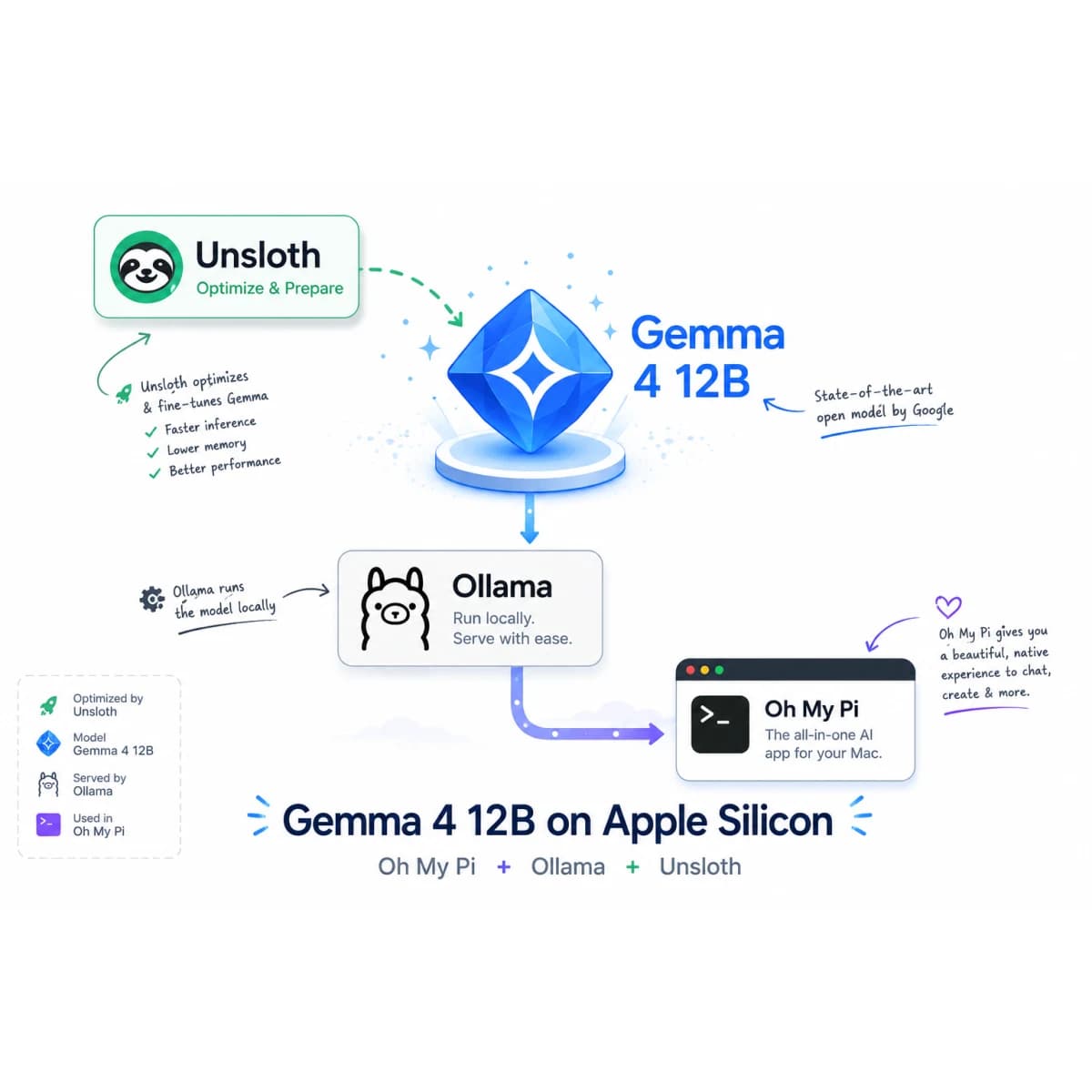
While everyone talks about Fable 5, I am surprised by how much useful work Gemma 4 12B can already do for me on a normal laptop.
Not a workstation. Not a rented GPU server. Not a cloud API with my company's repository uploaded to it.
My test machine is a MacBook Air M3 with 24GB of unified memory. It is thin, portable, and fanless. Inside my backpack, it can run a local coding agent that reads a real repository, follows the relationships between database code, Astro admin pages, and Firebase background functions, and produces a methodical audit plan.
That is the part I find more interesting than another benchmark chart.
First: check and update Ollama
Before blaming the model or agent harness, check the runtime:
ollama --version
On June 12, 2026, both my Ollama app and CLI reported 0.30.7. I also checked the official Ollama release page: version 0.30.7, published June 7, was the latest release.
The Ollama DMG update trap on macOS
If Ollama was originally installed using Ollama.dmg, dragging the new app into Applications can fail with this message:
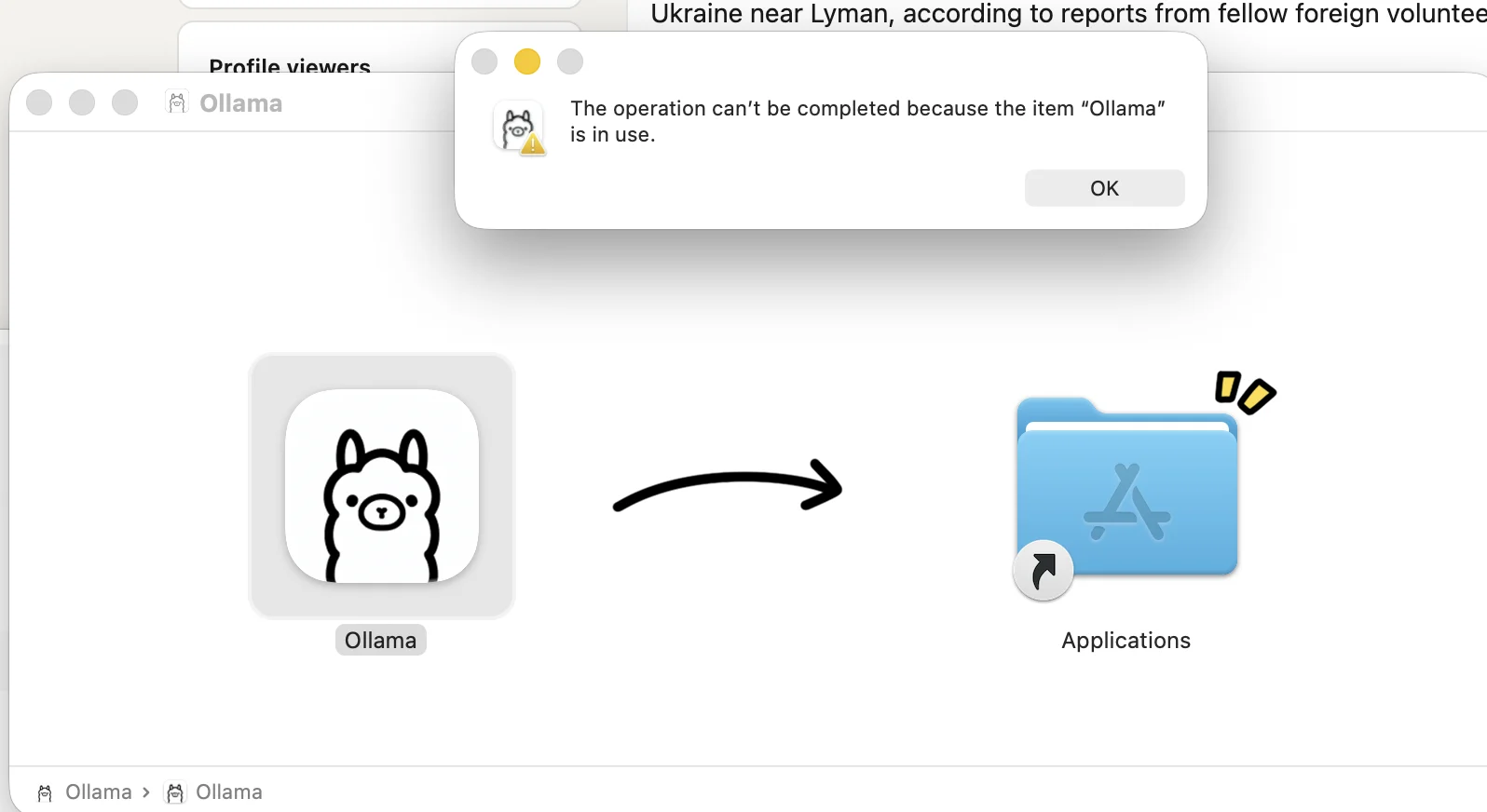
Closing the visible Ollama window is not always enough. Ollama can still be registered as a background login item, so macOS considers the app active while you are trying to replace it.
The fix:
- Open System Settings.
- Go to General → Login Items & Extensions.
- Turn Ollama off.
- Fully quit Ollama.
- Drag the new Ollama app from the DMG into Applications.
- Turn the login item back on if you want Ollama to start automatically.
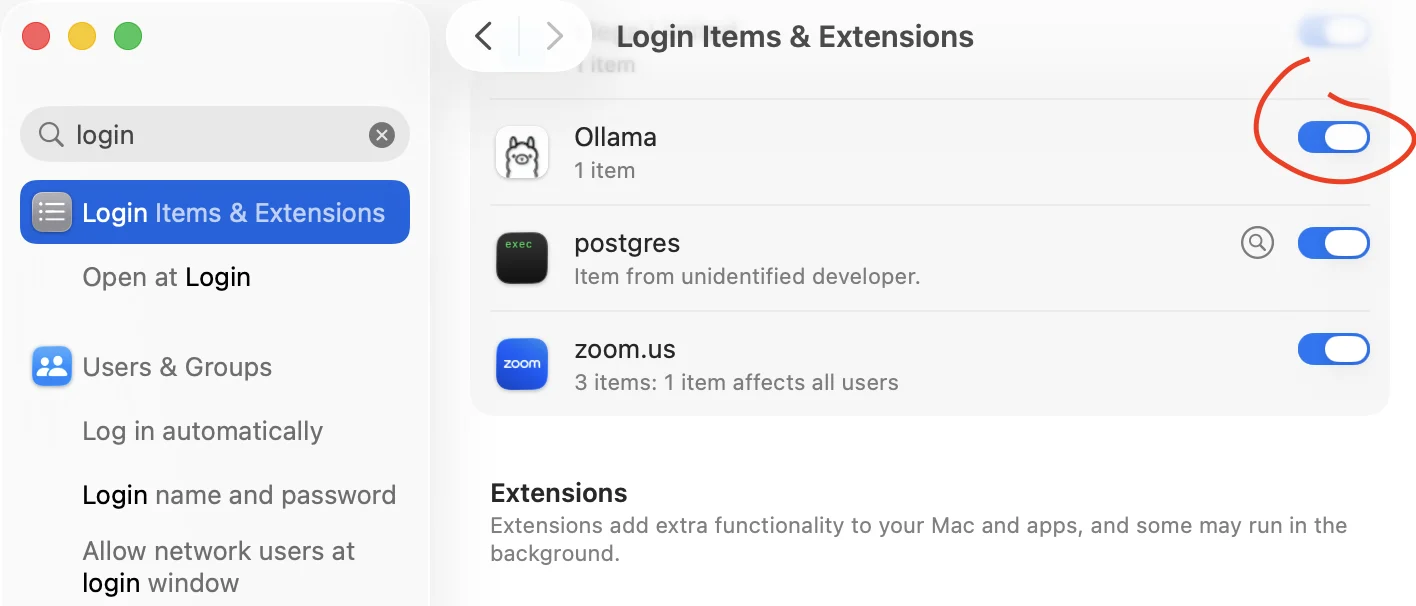
This is a small installation detail, but it is worth checking before debugging model behaviour against an outdated runtime.
1. The hardware context: local first on standard gear
I am intentionally skipping the race toward the largest possible cloud model.
The practical question for me is different: what can run securely on the machine I already carry?
The MacBook Air M3 is not marketed as an AI workstation. Its 24GB unified-memory configuration still gives a 12B quantized model enough room to be genuinely useful. Because the machine is fanless, performance is not infinite, but the setup remains quiet, portable, and completely local.
That matters when the repository contains proprietary business logic: pricing engines, customer rules, internal calculations, operational workflows, and other intellectual property that should not be sent to a third-party API just to receive a code review.
With Ollama running locally, the code and prompts remain on the Mac. I can perform a serious repository audit on a plane, in a client office, or anywhere else without turning the company's source code into somebody else's API payload.
2. The model battle: Gemma 4 and the precision factor
I tested the Unsloth GGUF builds of Gemma 4 12B:
hf.co/unsloth/gemma-4-12b-it-GGUF:UD-Q5_K_XL
hf.co/unsloth/gemma-4-12b-it-GGUF:Q8_0
The result was clear in my workload: Q5 failed, but Q8 won.
The Q5 build loaded and generated text, but that is not the same as completing a demanding coding task. During an architectural audit, it became hesitant and could get trapped in reasoning loops. It had enough language ability to discuss the repository, but not enough precision to hold the whole structural map together confidently.
Moving to Q8_0 restored the semantic sharpness I needed.
When Q8 worked, Gemma 4 did not simply guess at a likely answer. It identified the relevant files, connected the Firestore pricing layer to the Astro administration pages, found the Firebase execution engines that consume the pricing data, and produced a logical sequence for reviewing the implementation.
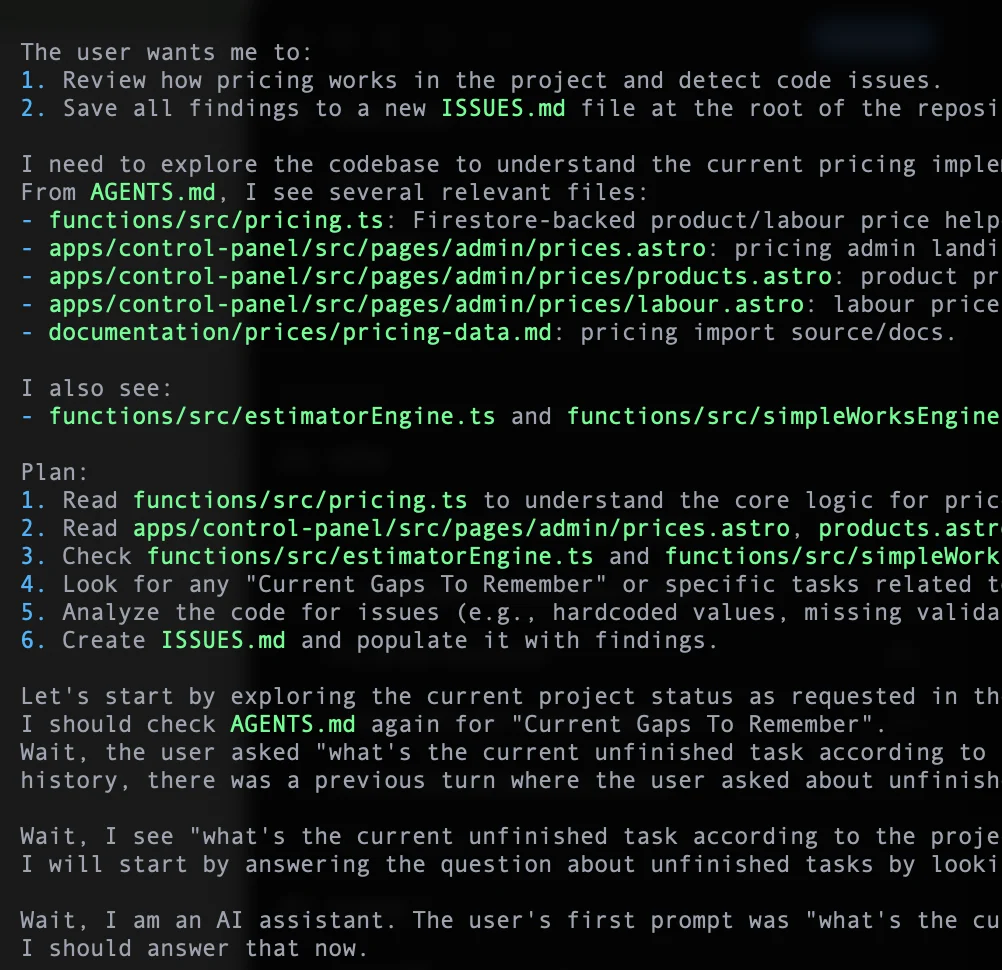
For casual chat and summarisation, lower-bit quantization may be a sensible trade. For heavy logic tasks such as finding architectural gaps across a repository, my experience was that sub-8-bit quantization lost too much precision.
The lesson is simple: a model that fits is not necessarily a model that reasons well enough for the job.
3. The Oh My Pi tooling bottleneck
Oh My Pi (omp) is an excellent environment for this kind of experiment.
It is terminal-native and relatively low-bloat. Instead of treating every edit as a giant generated patch, it can use content anchors, language-server tools, and repository-aware operations. That is much closer to how I want a coding agent to work: inspect first, understand structure, and make precise changes.
The hidden trap is latency.
Agent harnesses are usually tuned around cloud-like streaming behaviour. A hosted model often starts returning something quickly, even if the full answer takes time. A local model has a different latency profile. When I pass a large development plan or substantial repository context, the MacBook must first process all those prompt tokens. This time to first token can be much longer than the delay between later tokens.
The model is not dead. Ollama is not disconnected. The M3 is ingesting the prompt.
But if the harness interprets that quiet period as a failed connection, it aborts and retries. The retry makes the situation worse because the model must start the expensive prompt-ingestion phase again.
4. The timeout fix
The actual bottleneck was the wait for the first streamed event while Ollama processed the large prompt. For a temporary, one-command fix:
PI_STREAM_FIRST_EVENT_TIMEOUT_MS=120000 \
omp --model ollama/hf.co/unsloth/gemma-4-12b-it-GGUF:Q8_0
This gives the local model 120,000 milliseconds, or 120 seconds, to ingest the prompt and emit its first event. The setting applies only to that command.
Permanent fix: add it to your shell profile
Because I use zsh on macOS, the cleaner permanent fix is one copy-pasteable command:
echo 'export PI_STREAM_FIRST_EVENT_TIMEOUT_MS=120000' >> ~/.zshrc && source ~/.zshrc
For Bash:
echo 'export PI_STREAM_FIRST_EVENT_TIMEOUT_MS=120000' >> ~/.bashrc && source ~/.bashrc
After that, the normal model command is enough:
omp --model ollama/hf.co/unsloth/gemma-4-12b-it-GGUF:Q8_0
One naming detail matters. In the Oh My Pi source, streamFirstEventTimeoutMs is the internal JavaScript option name. The shell environment variable read by omp 15.11.3 is the uppercase PI_STREAM_FIRST_EVENT_TIMEOUT_MS. Exporting the camel-case option name by itself is not picked up by the installed CLI.
That profile adjustment changed the experience from repeated aborts into a working local agent without requiring the timeout to be typed for every run.
5. The final takeaway for developers
The local developer-agent stack is incredibly close to being seamless.
The model is smart enough. Gemma 4 12B at Q8 could reason across a real codebase and build a useful audit plan. The terminal tooling is native enough. Oh My Pi can inspect and modify a repository without burying the developer under an oversized interface.
The remaining friction is the infrastructure tax.
Cloud APIs and local inference do not have the same latency shape. Defaults built for massive server clusters can misread the natural pause of offline Apple silicon as a failure. Until every tool adapts automatically, developers still need to tune context sizes, quantization, and first-token timeouts.
That is a small price for keeping proprietary code local.
My working stack was:
- Hardware: MacBook Air M3, 24GB unified memory
- Runtime: Ollama 0.30.7
- Model:
hf.co/unsloth/gemma-4-12b-it-GGUF:Q8_0 - Agent: Oh My Pi 15.11.3
- Critical adjustment: a permanent 120-second first-event timeout in the shell profile
While the industry debates the next giant model, this fanless laptop is already auditing real business logic without sending the repository anywhere.
That is good enough to be useful today.